Choosing an Animated Birthday Party Invitation: A Practical Guide to Digital Video Invites
The tradition of sending birthday invitations has undergone a significant transformation in the digital age. While paper cards hold sentimental value, the modern host often prioritizes speed, convenience, and visual impact. This shift has popularized the Animated Birthday Party Invitation, a dynamic alternative that combines the personalization of traditional stationery with the engagement of video content. For adults navigating the logistics of event planning, understanding the nuances of this format is essential for making an informed decision.
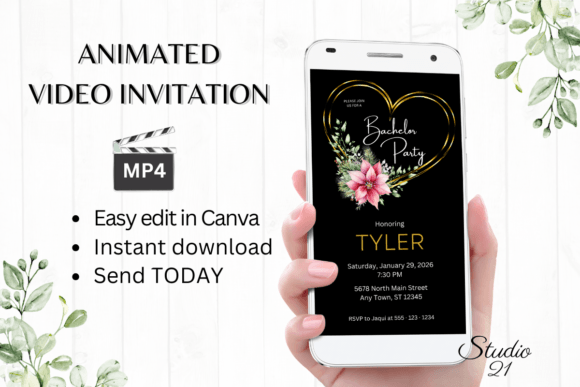
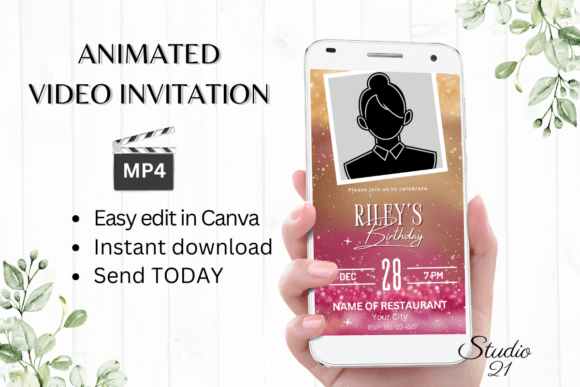
An animated invitation is not merely a static image with minor movement; it is a fully editable digital video template designed to capture attention in crowded social feeds and messaging apps. Unlike standard e-cards, which are often viewed as passive links, animated invites are active media files—typically MP4s—that play automatically on most devices. This distinction matters because it changes how guests interact with the information. The immediate visual stimulus increases the likelihood that the details of your event will be noticed and remembered.
Distinguishing Features of Digital Video Templates
What sets an Animated Birthday Party Invitation apart from other digital options is the balance between professional design and user-controlled customization. Traditional graphic design software requires a steep learning curve and specific hardware capabilities. In contrast, modern digital templates are built for accessibility, often leveraging cloud-based platforms like Canva. This approach removes technical barriers, allowing users to download, edit, and send invitations within minutes without installing specialized software or fonts.
The core advantage lies in the immediacy of access. When you purchase a digital template, you typically receive a PDF containing a direct link to the editable file. This link opens in your browser, where you can personalize text, adjust font styles, change colors, and modify animation effects. The ability to make these edits on both computers and smartphones ensures that the planning process is flexible. You are not tethered to a desktop workstation; basic edits can be handled on a mobile device, catering to the on-the-go lifestyle of many modern hosts.
Comparing Animated Invites to Traditional and Static Alternatives
To determine if an animated invite is the right choice for your event, it is helpful to compare it against the two primary alternatives: physical paper invitations and static digital images.
Physical Paper Invitations
Paper invitations offer tactile quality and a sense of formality that digital formats struggle to replicate. They are ideal for milestone events where keepsake value is paramount, such as a 50th anniversary or a formal gala. However, they come with significant tradeoffs. Production time is long, requiring weeks for printing and mailing. There is also the environmental cost and the financial burden of postage. Furthermore, tracking RSVPs via mail is inefficient compared to digital methods. If your priority is speed and budget efficiency, paper may not be the optimal route.
Static Digital Images (JPEG/PNG)
Static e-invites are a common middle ground. They are easy to create and send via email or text. However, in an era of information overload, static images often fail to stand out. They lack the motion that draws the eye, particularly on mobile screens where users scroll rapidly through content. An Animated Birthday Party Invitation offers a higher engagement rate because movement naturally attracts human attention. While static images are sufficient for casual gatherings, animated videos provide a more memorable experience for events where you want to generate excitement.
Evaluating the Editing and Customization Process
One of the primary concerns for users new to digital templates is the complexity of editing. A well-designed template mitigates this risk by offering intuitive controls. When evaluating a template, look for one that allows comprehensive customization without breaking the design integrity. Key editing options should include:
- Text Personalization: The ability to add, delete, or modify text fields easily.
- Typography Control: Options to change font style, size, and color to match your party theme.
- Visual Effects: The capacity to adjust text effects and animation styles to suit your aesthetic preferences.
- Format Flexibility: The option to download the final product as an MP4 file, ensuring compatibility across various platforms.
The absence of required software downloads is a critical feature. Cloud-based editing means that your work is saved automatically, reducing the risk of data loss. Additionally, the lack of need for proofing waits—a common bottleneck in professional printing—allows for last-minute changes. If a venue changes or a time is adjusted, you can update the template and redistribute it instantly. This agility is a significant advantage over traditional methods.
Sharing and Distribution Considerations
The utility of an Animated Birthday Party Invitation extends beyond its creation to its distribution. Once edited, the invitation is downloaded as an MP4 file. This format is universally compatible with modern communication channels. You can share the video directly via text message, iMessage, WhatsApp, Messenger, and other similar services. This direct delivery method ensures that the invitation lands directly in your guest’s primary communication stream, rather than getting lost in a spam folder or promotional tab.
For those who prefer email distribution, many platforms allow you to generate a shareable link. However, it is important to note that some email clients do not auto-play video attachments. In these cases, providing a clear subject line and a brief description encouraging the recipient to open the attachment can improve engagement. Detailed instructions are usually provided with the template download to guide you through these sharing nuances, ensuring a smooth experience regardless of your chosen method.
When to Choose Animated Invites and When to Look Elsewhere
While animated invitations offer numerous benefits, they are not a one-size-fits-all solution. Understanding the best-fit situations helps in making a prudent choice.
Ideal Scenarios for Animated Invites:
- Casual to Semi-Formal Gatherings: Birthdays, baby showers, bridal showers, and holiday parties benefit from the lively nature of video.
- Last-Minute Planning: When time is short, the immediate access and quick editing capabilities are invaluable.
- Tech-Savvy Guest Lists: If your guests are active on social media and messaging apps, they are more likely to appreciate and engage with a digital video format.
- Budget-Conscious Events: Digital templates eliminate printing and postage costs, offering a high-quality look at a fraction of the price.
Situations Where Alternatives May Be Better:
- Highly Formal Events: Black-tie galas or traditional weddings may require the gravitas of heavy cardstock and embossed lettering.
- Older Demographics: If a significant portion of your guest list is not comfortable with digital technology, a physical card or a simple phone call may be more effective.
- Keepsake Requirements: If the invitation itself is intended to be a memento, digital files do not provide the same tangible value as paper.
Technical Specifications and Limitations
When selecting a template, pay attention to the technical specifications. Most high-quality animated invitations are designed in a vertical format, typically 1080 x 1920 pixels. This aspect ratio is optimized for mobile screens, ensuring that the content fills the display without awkward cropping. However, this also means that the design may not translate perfectly to desktop monitors or landscape-oriented displays. It is important to preview your invitation on multiple devices to ensure readability and visual appeal.
Another consideration is color variance. Digital screens display colors differently based on calibration, brightness settings, and device type. The colors you see on your computer monitor may appear slightly different on a guest’s smartphone. While this is a minor limitation, it is worth keeping in mind if precise brand colors or specific thematic hues are critical to your design.
Making the Final Decision
Choosing an Animated Birthday Party Invitation is ultimately about aligning your medium with your message and audience. It represents a shift towards efficiency and engagement, leveraging technology to enhance the social experience of event planning. By understanding the editing flexibility, sharing capabilities, and appropriate use cases, you can determine whether this digital approach serves your needs better than traditional paper or static digital alternatives.
The key to success lies in selecting a template that offers ease of use without sacrificing design quality. Look for resources that provide clear instructions, immediate access, and robust customization options. With the right template, you can create a compelling invitation that not only informs your guests but also excites them, setting the tone for a memorable celebration. Whether you are editing on a laptop during a lunch break or tweaking details on your smartphone while commuting, the flexibility of digital video invites empowers you to manage your event planning with confidence and creativity.